
For years, turning a web design into a working website meant translating a visual idea into code by hand. Generative AI changed that by letting people describe interfaces with words. Now a third shift is underway: AI is beginning to understand the interface itself.
A design mockup, browser screenshot, or marked-up mobile view can become part of the development instruction. Once a page is generated, another screenshot can be used to explain what still looks wrong. The workflow is becoming a continuous visual conversation.
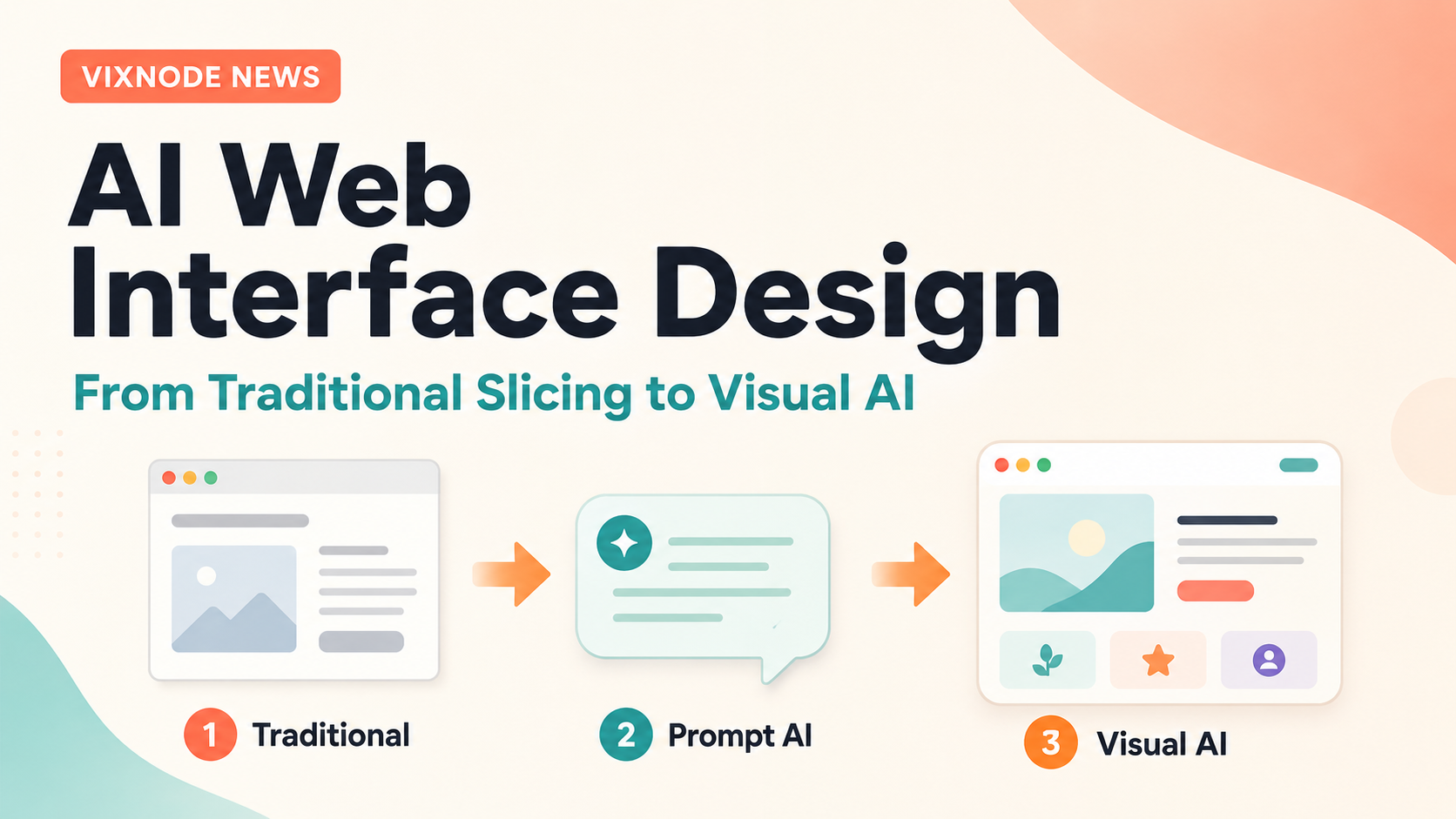
1. Traditional web slicing: translating pixels into code
Before AI entered the workflow, designers produced interfaces in tools such as Photoshop, Sketch, Adobe XD, and Figma. Front-end developers then inspected typography, spacing, grid structure, images, buttons, breakpoints, hover states, and responsive behavior before recreating the design in HTML, CSS, and JavaScript.
The difficult part was rarely just writing code. It was interpreting visual intent. A designer could point at a screen and immediately see that a title was too close to an image, while a developer had to turn that observation into measurable spacing, alignment, and breakpoint rules.
2. The first AI wave: Prompt-to-Website
Generative AI changed the starting point. Instead of beginning with CSS rules, users could begin with a sentence: “Create a modern SaaS landing page with a dark navy background, three feature cards, generous whitespace, and a strong call-to-action.”
This was a major shift because code stopped being the only language for describing a website. Natural language became part of the development interface.
But prompts have a limitation: visual relationships are often easier to see than to describe. “Move the title slightly left while keeping it aligned with the illustration and preserving the rhythm of the cards below” is understandable, but unnecessarily verbose when a screenshot can show the same problem instantly.
3. Visual AI: when the design itself becomes the prompt
Multimodal AI can interpret images as well as text. That means the design itself can become development context. A user can provide a landing-page mockup, a Figma screenshot, a mobile layout, or a reference website image and ask AI to recreate the interface.
The model can reason about hierarchy, navigation, section boundaries, card proportions, image placement, visual density, and whitespace. This is the idea behind Screenshot-to-Code: using a rendered interface as an input for generating a functional implementation.
4. The real trend: the Visual Feedback Loop
Screenshot-to-Code is only the beginning. The more important workflow is screenshot-to-code-to-screenshot: AI generates an interface, the user reviews the rendered result, captures what looks wrong, and sends that visual feedback back into the next modification.
This mirrors how front-end developers already work: implement, render, compare, adjust. AI is beginning to participate in that same loop, which makes iterative interface work faster and more accessible.
5. Why ChatGPT changes the interaction model
ChatGPT can understand image inputs, including interface screenshots. That allows users to combine visual evidence with plain-language instructions. Instead of explaining every CSS symptom, the user can upload the screen and say, “This section feels too crowded,” or “Only fix the heading and button spacing here.”
6. From design image to website with VIXNODE
VIXNODE supports an AI Vision workflow where an image can be used as a page source. A user can upload or capture a reference image, add layout and style instructions, generate the page, review the result, and continue refining it.
Design image → Website
Provide a homepage design and ask ChatGPT to preserve its hierarchy, spacing, visual rhythm, and responsive intent. VIXNODE can then turn that visual reference into a real page for preview and further iteration.
Screenshot → Local modification
After generation, capture the problem area and ask for a targeted correction: tighten a card group, fix a mobile wrap, increase section spacing, or rebalance a specific block without rebuilding the entire page.
7. Visual AI is iterative, not pixel-perfect magic
Visual AI is improving quickly, but a screenshot does not contain every implementation detail. Static images cannot fully explain interactions, breakpoint behavior, hidden states, semantic structure, or the maintainability of the resulting code.
The practical workflow is therefore not “one image → perfect website.” It is “image → first implementation → visual review → targeted correction.” The value comes from reducing the cost of each iteration, not eliminating iteration entirely.
8. The roles of designers and front-end developers are changing
The designer is not disappearing, and neither is front-end engineering. What is changing is the interface between intention and implementation. Design references, screenshots, natural language, and AI-generated code can now coexist inside one collaborative loop.
That means more people can give meaningful implementation feedback without knowing terms such as container max-width, flex alignment, line-height, or breakpoint. They can point to what they see, while AI translates the visual feedback into technical changes.
9. From Prompt Engineering to Visual Communication
Prompt writing will remain useful, but interface work is moving toward a richer form of communication: show the design, describe the intent, preview the result, and show the problem again if necessary.
The future of AI web interface design is multimodal. The key change is not simply that AI can write more code. It is that AI is beginning to understand how humans see interfaces.
Show the design.
Generate the website.
Screenshot the problem.
Tell AI what to change.
Preview it again.
FAQ: Visual AI and AI Web Interface Design
What is Screenshot-to-Code?
Screenshot-to-Code is a workflow where AI analyzes a screenshot or design image and uses the visual structure as context for generating a web interface or front-end implementation.
How is Visual AI different from Prompt-to-Website?
Prompt-to-Website starts mainly from written instructions. Visual AI adds images, screenshots, or design references so the model can reason directly about layout, hierarchy, spacing, and visual relationships.
Can ChatGPT understand a website screenshot?
Yes. ChatGPT can accept image inputs and use screenshots as context. Marking or highlighting a specific area can make targeted feedback even clearer.
Can I build a page from a design image in VIXNODE?
Yes. VIXNODE supports AI Vision page generation using an uploaded or captured image plus written instructions about layout, content, and style.
Can I use a screenshot to modify only part of an existing page?
Yes. A screenshot can help explain the visual problem, while the modification instruction can specify that only the affected section should change. This is especially useful for spacing, wrapping, alignment, and proportion issues.
Does Visual AI guarantee pixel-perfect results?
No. Screenshots do not contain every responsive, interactive, semantic, or code-structure detail. Visual AI is best treated as an iterative workflow rather than a one-shot pixel-perfect conversion.
Do prompts still matter when AI can see the design?
Yes. Images explain appearance, while prompts explain intent, constraints, responsive behavior, content priorities, and what should or should not change.
How should I prepare a design image for AI generation?
Use a clear, high-resolution image and add concise instructions about the expected layout, content, responsive behavior, and visual style. Iterating section by section can improve results.
What kinds of screenshot feedback work well?
Concrete visual issues work best: “the heading is too close to the image,” “these cards do not feel evenly spaced,” “the mobile title wraps badly,” or “only reduce the height of this hero section.”
Will Visual AI replace front-end developers?
It is more likely to change the workflow than remove the role. Responsive behavior, interaction design, accessibility, maintainability, performance, and complex application logic still require technical judgment.
What is the Visual Feedback Loop?
It is the repeated cycle of generating a page, previewing it, capturing visual problems, and using those screenshots as context for the next targeted refinement.
Why combine ChatGPT with VIXNODE?
ChatGPT provides a conversational and visual reasoning layer, while VIXNODE provides the website project, page generation, modification, preview, and publishing workflow. Together, the conversation can move from discussing a design to working on the actual website.
Try a visual-first website workflow
Start with a design image or an existing page screenshot. Use ChatGPT to describe the intent, then use VIXNODE to turn that visual feedback into a website you can preview and refine.
Open VIXNODE in ChatGPT