
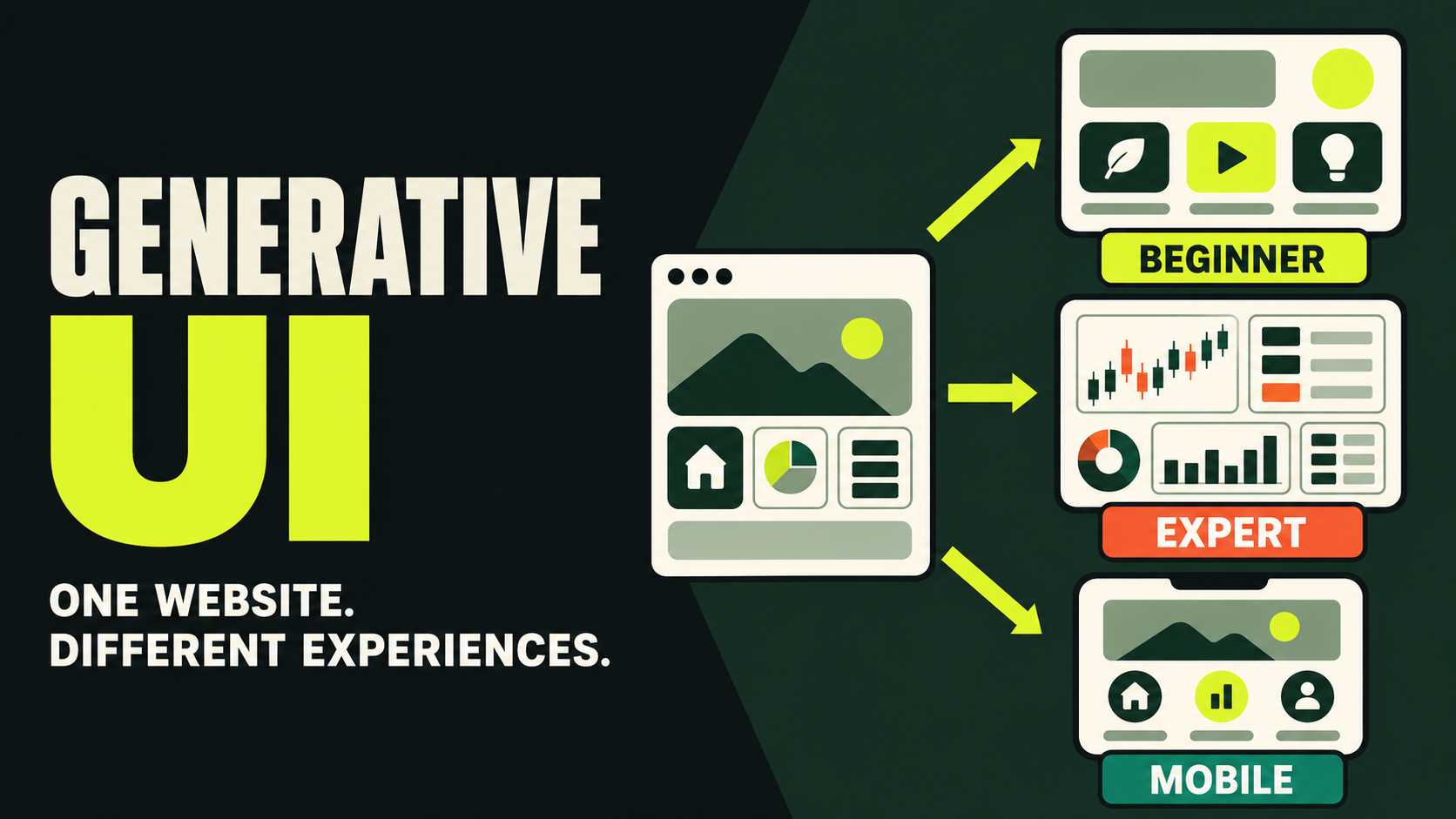
What is Generative UI?
Traditional websites are predefined destinations: visitors see the same navigation, content order, buttons, and task flow. Generative UI changes that rule.
Generative UI is an interface approach in which AI dynamically creates or adjusts presentation around a user’s intent and context. Instead of selecting only from complete pages designed in advance, the system decides which information, controls, and next steps are useful now.
Design shifts from producing one finished screen to defining a governed system that can assemble many reliable screens.
Imagine someone asking a travel site to plan a three-day trip for two adults under a fixed budget. A traditional site returns search tools and separate filters. A generative interface can assemble destination options, a budget breakdown, editable dates, accommodation controls, and clear save or book actions around that request.
Generative UI is not an AI-generated website
Both use artificial intelligence, but at different moments and for different people.
AI-generated website
AI helps a creator produce pages, sections, copy, images, or code. Visitors still use a mostly fixed site after publication.
Generative UI
AI interprets a visitor’s goal and assembles or adjusts the interface while the product is being used.
The two can coexist: a team may create a website with natural-language prompts and then offer governed, task-specific generative experiences inside it.
What can change in real time?
The practical model is to let AI combine approved components within explicit boundaries—not redesign the entire website on every visit.
Content order
New visitors may need context; returning experts may need activity and shortcuts.
Controls
A task may need a form, date picker, comparison, chart, or decisive button.
Task flow
Beginners receive guidance while experienced users get a shorter route.
Information density
Density can respond to device, expertise, and assistive needs.
Visual presentation
AI may select a timeline, chart, summary, or card layout while typography, color, spacing, behavior, and accessibility remain governed.
Where Generative UI works best
It is most useful when tasks vary, information is complex, and people need meaningfully different paths.
Ecommerce
Product comparisons shaped by budget, use case, and preferences.
Travel
Dates, destinations, lodging, transport, and budget in one flow.
SaaS
Dashboards and shortcuts adapted to roles and active work.
Education
Difficulty, exercises, and support matched to progress.
Support
Conversations transformed into useful task controls.
A fixed interface is still better when a simple, stable page already lets people complete one clear task quickly.
Will Generative UI replace designers?
It changes the design problem rather than removing it. Designers define the components, rules, constraints, feedback, fallbacks, and confirmation patterns that keep many possible interfaces coherent.
They still own the visual language, hierarchy, component states, accessibility standards, safeguards for sensitive actions, and the reliable interface shown when AI cannot complete a task.
Why design systems matter more
Without constraints, AI can produce inconsistent buttons, unstable color meanings, confusing hierarchy, and interactions that change from moment to moment. A generative-ready system defines what may be assembled, when a component is appropriate, how states behave, and which parts must never change.
Flexibility creates new trust risks
If actions move every time, people cannot build a dependable mental model.
When confidence is low, clarify before acting.
Explain why the interface changed and offer a standard view.
Preserve semantics, focus, keyboard access, and announcements.
Payment, deletion, permissions, and submissions require explicit confirmation.
Seven principles for better Generative UI
How to start without rebuilding everything
- Find one high-value task that requires too much searching or page switching.
- Map the data, rules, components, and approvals required to finish it.
- Limit AI to approved interface patterns and actions.
- Prototype real, ambiguous, and failed requests.
- Track completion time, corrections, errors, handoffs, and trust—not novelty.
If adaptation does not improve the outcome, do not keep it merely to demonstrate AI.
Frequently asked questions
Is Generative UI just personalization?
Not exactly. Personalization usually selects predefined content or layouts. Generative UI can assemble task-specific controls and flows at the moment of use.
Does it require a chat interface?
No. Conversation can capture intent, but the result may be a form, table, chart, cards, or a complete task flow.
Will every visitor see a completely different website?
They should not. Keep the brand, navigation, core structure, and important actions stable while adapting bounded regions.
Is it useful for a small website?
Only when visitors have meaningfully different or complex needs. A clear fixed page remains better for simple content and one goal.
Can it affect SEO?
Yes, if essential information exists only after interaction. Keep core public content, headings, links, and stable URLs available in indexable HTML.
How should success be measured?
Track task completion, time, errors, corrections, demand for human help, accessibility outcomes, and user confidence.
The best adaptive interface still feels dependable
Generative UI matters because it understands what someone is trying to accomplish and presents the right information and controls—without sacrificing clarity, consistency, predictability, or trust.